
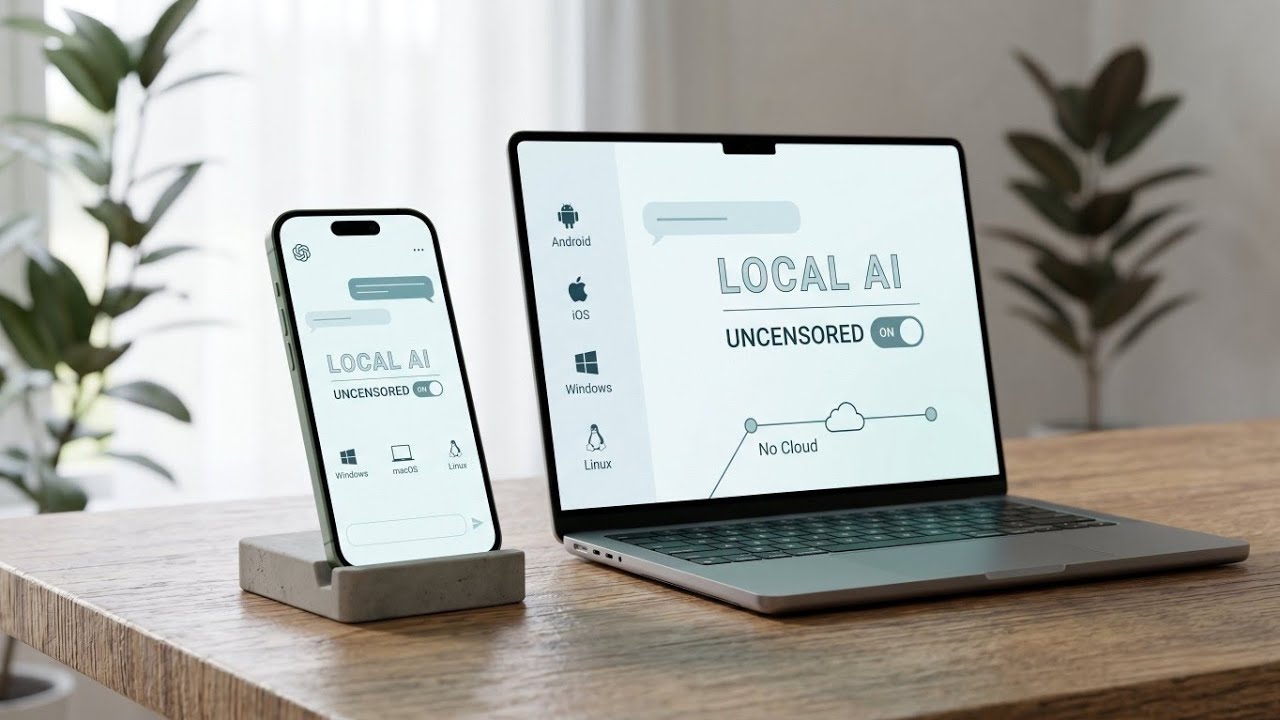
Artificial intelligence has completely transformed how we process information, code, and brainstorm. However, the most powerful models are traditionally locked behind corporate cloud ecosystems. This architecture introduces a few distinct drawbacks: constant subscription fees, mandatory internet connections, and rigid corporate safety filters that often lecture users rather than answering their direct prompts.
For creators, developers, and privacy advocates, a shifting trend is taking root: Local AI.
A groundbreaking, mobile-first, multi-platform ecosystem is completely changing the game. By utilizing open-source frameworks, it allows users to host and run fully unrestricted AI models entirely on local devices. With zero cloud dependency, zero data tracking, and no recurring costs, this represents a massive step forward for digital autonomy.
Why Shift to a Local-First AI Architecture?
Relying entirely on remote servers means your private thoughts and data are constantly uploaded to third-party databases. Transitioning to a completely local architecture introduces three main pillars of superiority:
1. Total Data Privacy
When an AI model runs natively on your hardware, your conversations never leave your device. There are no data logging pipelines, no external tracking algorithms, and no risk of data breaches from centralized cloud servers. Your data remains entirely yours.
2. Zero Restrictions and Unfiltered Logic
Standard commercial AI platforms use heavy, hardcoded guardrails. Sometimes, these safety filters misinterpret benign prompts, leading to frustrating refusals. Local execution allows users to deployment "abliterated" and highly objective open-source models that treat the user like an adult—answering complex prompts objectively without corporate lectures.
3. Infinite Offline Availability
Because the intelligence is computed locally by your device’s processor, an active internet connection is entirely optional. Once the core files are on your system, the application works perfectly on airplanes, in remote wilderness locations, or over highly restricted corporate networks.
Key Technical Features of the Platform
This local AI ecosystem is packed with robust infrastructure features tailored to power users and developers alike:
- Cross-Platform Performance: Built on a unified codebase, the software scales beautifully across Android, iOS, Windows, macOS, and Linux.
- Local OpenAI API Server: The app includes a built-in HTTP server compatible with standard OpenAI client protocols. This allows you to route external local developer tools directly into your offline model.
- Persistent Local Storage: Your chat history is organized cleanly using Hive, a lightning-fast, secure local database that sits right on your system storage.
- Real-Time Diagnostics: The user interface features live metric tracking, showcasing your current processing speed measured in tokens per second alongside model loading progress.
Watch the full tutorial here on our Youtube channel:
Step-by-Step Installation and Setup Guide
Setting up your own private AI node is incredibly straightforward. Here is how to get the application up and running on your preferred operating system.
Step 1: Navigating the Open-Source Repository
The heart of this project lies on GitHub, where the entire platform is maintained transparently.
- Head over to the official project repository to view the open-source codebase.
- Review the documentation provided in the repository to check system compatibility guidelines.
- Locate the Releases section on the right side of the project page to find the latest compiled executable files.
Step 2: Android APK Installation Process
For mobile power users looking to establish an on-the-go AI setup, installing the Android package takes just a few seconds.
- Download the latest .apk file directly from the GitHub releases section onto your phone.
- Locate the file in your device's file manager and tap it to open the Android package installer.
- If prompted by your system security, temporarily toggle the setting to Allow installation from unknown sources.
- Confirm the prompt and click Install. Within seconds, the standalone application icon will appear on your home screen.
Step 3: Configuring Your First Model
Once the application is successfully installed, launching the platform introduces you to a clean, minimalist interface. To start interacting with the system, you will utilize the built-in Model Library.
The application natively supports .GGUF model files, which are highly compressed versions of popular open-source LLMs optimized to run efficiently on consumer hardware (such as mobile processors and standard laptops). You can browse the available library to download a model size that matches your system capabilities, or manually import your own custom-tuned open-source model files.
(Note: Ensure your device has adequate storage space available before initiating a model download, as high-quality local models typically require a few gigabytes of free space to store their neural weights.)
Conclusion: Taking Back Digital Sovereignty
The rise of high-performance, local open-source AI tools proves that consumers no longer need to rely on restrictive cloud monopolies to access cutting-edge machine learning. By utilizing local resources, you unlock a fast, secure, and incredibly private assistant tailored precisely to your needs. Explore the repository, set up the platform on your hardware, and experience the next era of unfiltered computing freedom.
Subscribe to our YouTube channel for daily Android tips, tricks, and tutorials: TechyNoob
Discussion (0)
Post a Comment
No comments yet. Be the first to share your thoughts!