
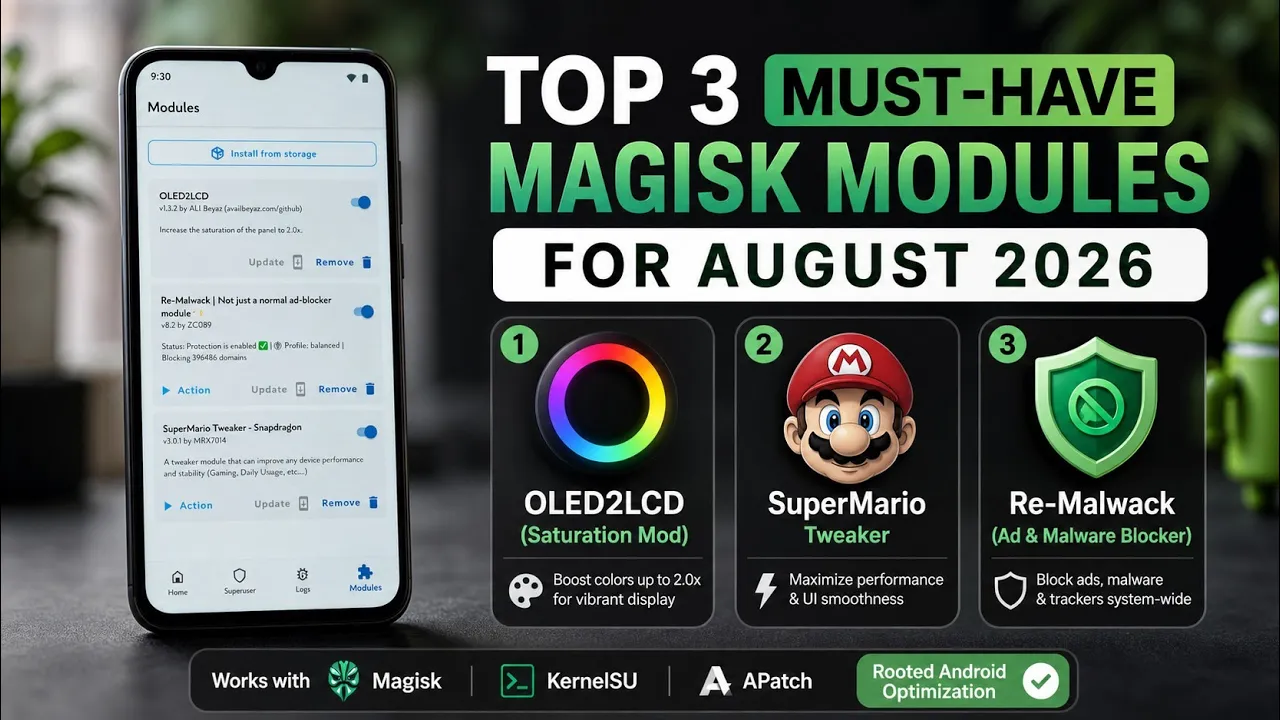
Rooted Android gives users access to customization options that aren't available through normal applications.
Magisk modules are one of the most convenient ways to apply system-level modifications because they can change specific parts of the software without requiring users to manually edit system files.
For this video, I tested three modules on my Redmi Note 7 Pro running MatrixxOS based on Android 16 QPR2:
- OLED2LCD
- Re-Malwack
- SuperMario Tweaker
Watch the Video
1. OLED2LCD
OLED2LCD is intended for users who want to experiment with display behaviour on OLED-equipped devices.
The purpose of such a module is generally to alter how display-related parameters are handled at the system level.
However, users should understand the difference between changing software parameters and physically changing the display hardware.
A module cannot turn an OLED panel into an LCD panel.
Before installing a display-related modification, confirm that it is appropriate for your particular panel and Android configuration.
2. Re-Malwack
Re-Malwack is aimed at Android users who want to modify or clean up unwanted system components and potentially reduce unnecessary services or packages.
Tools that alter system applications require caution because Android depends on many packages for core functionality.
Removing something simply because its package name looks unnecessary can result in broken features.
This is especially important on custom ROMs, where the package set can differ significantly from stock Android.
3. SuperMario Tweaker
SuperMario Tweaker is another root-focused customization tool featured in the video.
System-tweaking modules can modify various Android behaviours, but their actual effect depends heavily on the device, kernel and ROM.
A good approach is to change one thing at a time and observe the result rather than stacking multiple optimization modules immediately.
My Testing Setup
All three modules were tested on:
Device: Redmi Note 7 Pro
ROM: MatrixxOS
Android: Android 16 QPR2
This is important because a Magisk module that works correctly on one device may behave differently on another.
Why You Shouldn't Install Every Module
Magisk modules operate with elevated privileges.
That makes them powerful, but it also makes compatibility more important than with ordinary Android applications.
Two modules can modify the same property, system file, service or kernel parameter.
When that happens, the result may be unpredictable.
For this reason, install only modules that solve a problem you actually have.
Backup Before Experimenting
Before installing system modifications, create a backup.
If a module causes a bootloop, you may need to disable or remove it through your recovery or root-management environment.
Keeping a known-working configuration makes experimentation much safer.
Security Considerations
Root modifications have significantly more access than ordinary Android applications.
Only install modules from sources you trust.
If you don't understand what a module changes, research it before flashing.
This is especially important for modules that modify system packages, networking, security settings or kernel behaviour.
My Experience
On the Redmi Note 7 Pro running MatrixxOS based on Android 16 QPR2, these modules demonstrate three different approaches to Android customization.
The important takeaway isn't that every rooted phone needs all three.
Instead, they are examples of how Magisk can provide additional control over an Android installation.
The right module depends on what you are actually trying to change.
Pros and Cons
Pros
- Deep Android customization
- System-level functionality
- Useful for rooted users
- Can modify behaviour unavailable to normal applications
Cons
- Requires root
- Compatibility varies
- Incorrect modules can cause boot problems
- Multiple modules can conflict
- Some modifications may have trade-offs
Final Verdict
Magisk remains one of the most useful platforms for Android enthusiasts because it provides a relatively convenient way to experiment with system modifications.
OLED2LCD, Re-Malwack and SuperMario Tweaker each target different areas, so they shouldn't be viewed as universal "must-install" modules.
On my Redmi Note 7 Pro with MatrixxOS and Android 16 QPR2, the main benefit of testing them is seeing how far Android can be customized once root access is available.
If you're going to experiment with these modules, make backups, install them individually, verify compatibility and understand what each modification changes.
Downloads:

Discussion (2)
Post a Comment