
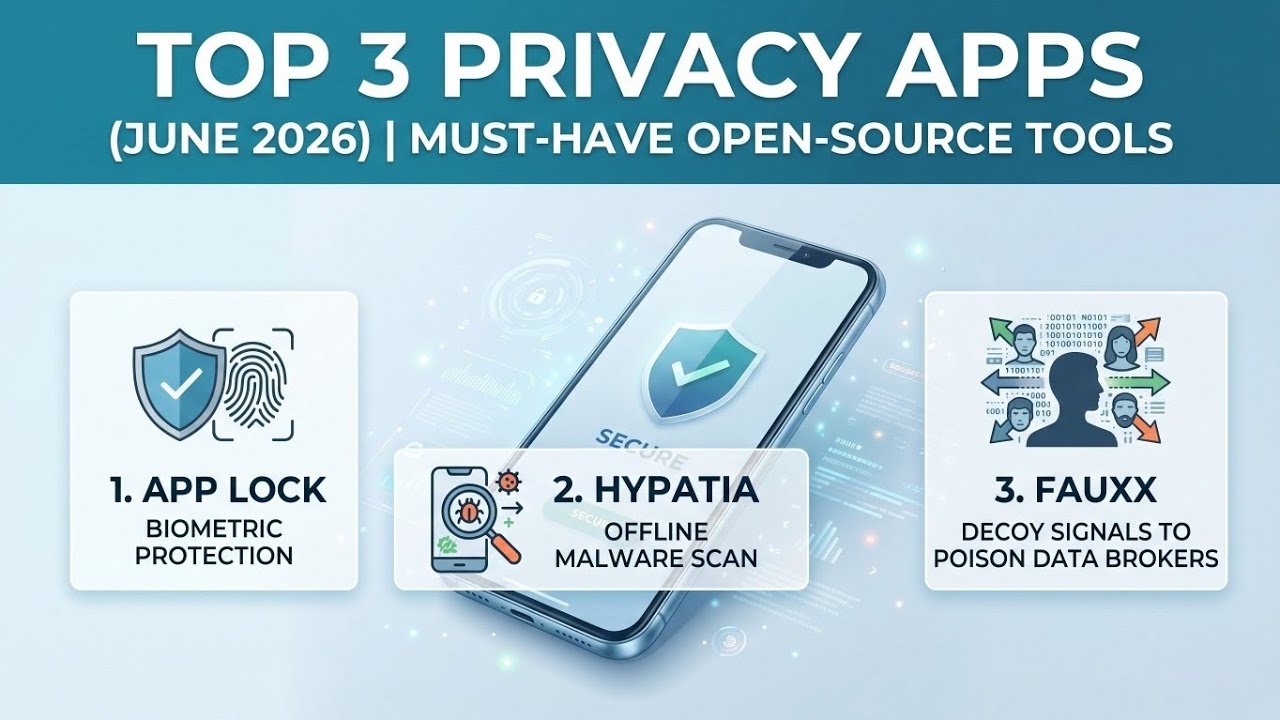
Welcome back to the Techynoob blog! If you care about digital privacy, securing your personal data, and taking back full control of your device without relying on big tech ecosystem tracking, you are in the right place. Today, we are reviewing three incredibly powerful open-source applications that run entirely on your device, ensuring your maximum privacy.
These Free and Open-Source Software (FOSS) tools serve unique purposes—ranging from biometric security to malware scanning and synthetic data generation—but they all share a core commitment: keeping your data strictly offline. Let’s dive into these top-tier privacy tools and explore how to get them running on your smartphone.
Watch the full tutorial here on my Youtube channel:
1. App Lock: Uncompromising Biometric Protection
If you want to secure your sensitive applications with powerful biometric protection, App Lock is a modern, privacy-first tool designed to keep your most sensitive data safe from prying eyes.
App Lock features a beautiful Material You design with a Material 3 Expressive interface that seamlessly adapts to your system theme. It ensures your data stays private, remaining solely on your device and never syncing to the cloud. You can utilize face unlock, fingerprint scanning, or a secure PIN for rapid access. It is incredibly lightweight, battery-efficient, and operates 100% offline, meaning zero ads, zero trackers, and zero data collection.
It is the perfect solution for privacy-conscious users wanting to secure banking or messaging apps, parents looking to restrict access for children, or professionals protecting their work profiles. It even includes an anti-uninstall mechanism and an optional unlock timer for convenience.
How to Install and Set Up App Lock:
- Download the App: Since it is open-source, download the latest version of App Lock from a trusted repository like F-Droid or directly from the developer's GitHub releases page.
- Grant Permissions: Upon launching, the app will prompt you to grant "Usage Access" and "Display Over Other Apps" permissions. These are necessary for the app to detect when a protected app is opened.
- Configure Authentication: Choose your preferred security method—Fingerprint, Face Unlock, or a backup PIN.
- Select Apps: Browse your installed applications and tap the lock icon next to any app you wish to secure instantly. No root access is required!
2. Hypatia: Blazing Fast, Real-Time Malware Scanning
Next up is Hypatia, a real-time malware scanner fork that stands as the world's first true FOSS malware scanner for Android. Powered by industry-standard ClamAV-style signature databases, Hypatia is a lightweight powerhouse.
This tool is incredibly fast and memory-efficient. With default databases enabled, it uses under 120MB of memory and can scan small 1MB files in under 20 milliseconds, and large 40MB files in just one second. You will never notice any battery drain. You can run regular scans across your system folders, internal storage, external storage, and installed apps. Furthermore, the real-time scanner actively detects malicious files during write or rename operations.
Hypatia is completely offline. The internet is solely used to update the signature databases, guaranteeing your files never leave your device. With a tiny, highly auditable codebase of under one thousand lines, transparency is guaranteed.
How to Install and Set Up Hypatia:
- Download via F-Droid: Search for the Hypatia fork on the F-Droid store and install it.
- Enable Storage Access: Open the app and grant it permission to manage all files, allowing it to scan your internal and external storage directories effectively.
- Download Signatures: Navigate to the settings and tap to download/update the signature databases. You can enable or disable specific databases based on your needs.
- Enable Real-Time Scanning: Toggle on the real-time scanning feature to ensure continuous background protection with persistence on device boot.
3. Fauxx: Privacy Through Data Obfuscation
Our final tool takes a completely different, highly innovative approach to privacy. Fauxx protects your digital identity through data obfuscation, generating diverse synthetic browsing activity in the background to scramble data collection profiles.
By flooding tracking platforms with plausible off-demographic noise, Fauxx makes your real behavioral signals statistically indistinguishable from the generated fake data. Fauxx runs quietly in the background, performing searches across various search engines on topics far from your real interests. It varies website visits, rotates your browser fingerprint (User-Agent, language headers), and diversifies DNS queries.
Note: Fauxx is distributed exclusively via F-Droid and GitHub, as its advanced modules—like location spoofing and ad-tracking obfuscation—conflict with standard Google Play Store policies.
Everything is secured via on-device encryption using SQLCipher and Android Keystore. There is no cloud storage, no analytics, and you can inspect the open-source code yourself. It mimics human browsing patterns perfectly, rotating synthetic personas weekly.
How to Install and Set Up Fauxx:
- Download the Full Version: Obtain the Fauxx APK from F-Droid or GitHub to ensure you have all advanced modules unlocked.
- Enable Developer Options: Go to your Android Settings > About Phone and tap the "Build Number" seven times.
- Set Mock Location App: Navigate to the newly unlocked Developer Options, find "Select mock location app," and choose Fauxx. This enables the GPS obfuscation feature.
- Configure Targeting (Optional): You can optionally input your general demographics (age range, region). Fauxx will use this to generate noise that is maximally different from your real profile. Alternatively, skip this for uniform random noise.
Final Thoughts
Taking control of your digital footprint has never been more important. By integrating open-source applications like App Lock, Hypatia, and Fauxx into your daily routine, you can significantly enhance your device's security and keep your personal data strictly offline where it belongs.
Which of these tools are you planning to install first? Let us know in the comments below, and stay tuned to Techynoob for more insights into the world of open-source technology and digital privacy!
Subscribe to my Youtube channel for daily android tips tricks and tutorials: TechyNoob
Discussion (2)
Post a Comment