
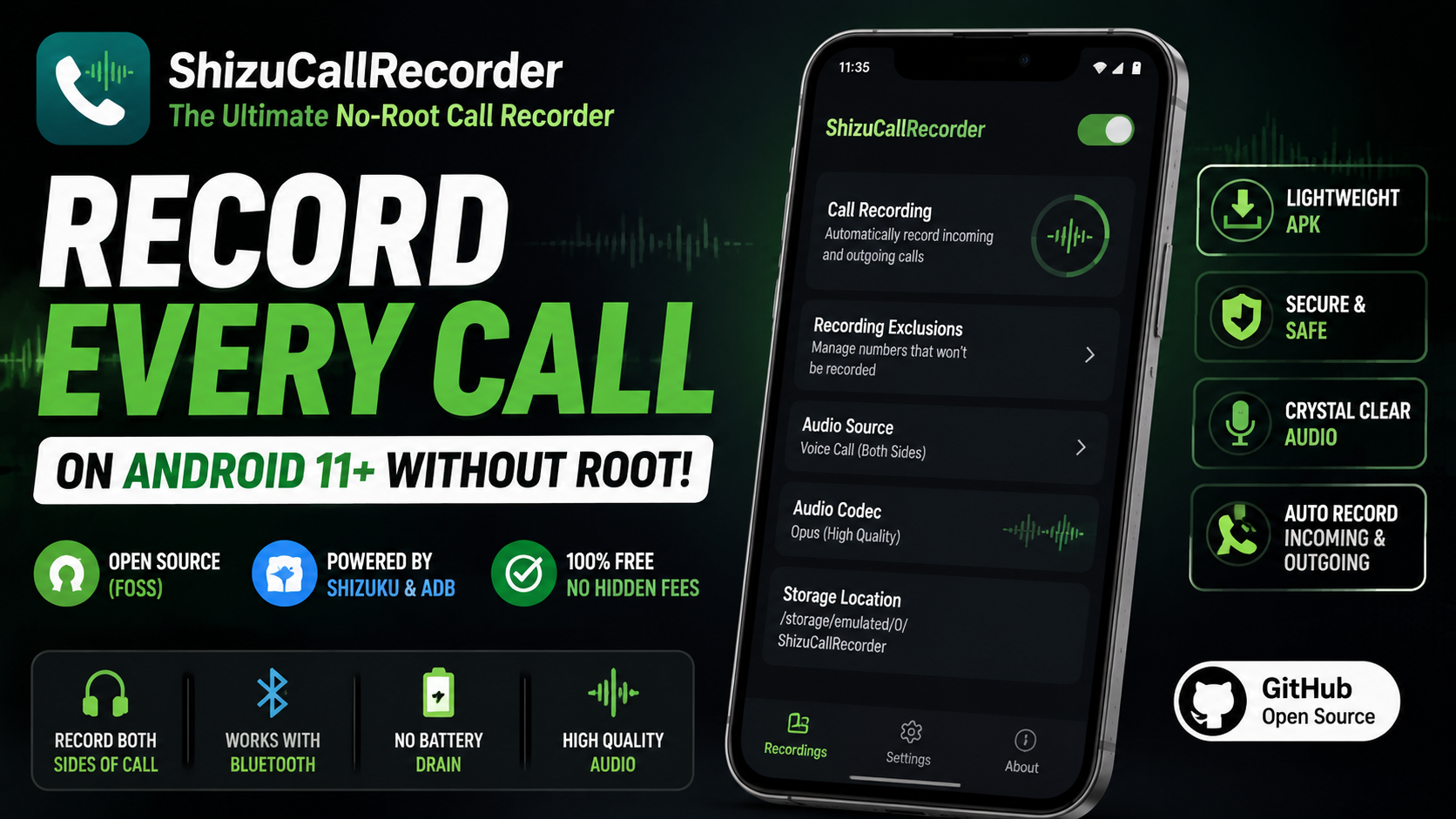
Have you ever hung up the phone after an important conversation and wished you could listen to it again? Whether it is a business call with complex instructions, a quick interview, or just a memorable conversation with a family member, having a reliable call recording feature is incredibly useful. However, if you are using a modern smartphone running Android 11 or higher, you have likely run into a massive, frustrating roadblock. Due to strict system limitations and evolving privacy guidelines, native call recording has been heavily restricted, making it nearly impossible to record both sides of a conversation without rooting your device.
For years, Android enthusiasts have had to rely on complex root methods, flashing custom ROMs, or downloading sketchy third-party applications that drain your battery and compromise your privacy. But that era is finally over. Today, we are diving deep into a revolutionary application called ShizuCallRecorder. This is the ultimate solution for anyone looking to bring back native-level call recording to their smartphone safely and securely.
What is ShizuCallRecorder?
ShizuCallRecorder is a completely free and open-source software (FOSS) application designed specifically for Android 11 and above. What makes this application a true game-changer is that it completely bypasses the need for root access. Instead, it utilizes a brilliant workaround by empowering the Android Debug Bridge (ADB) through a popular developer tool called Shizuku.
By granting advanced shell permissions to ShizuCallRecorder via Shizuku, the app can securely tap into the device's audio streams. This allows it to capture high-quality audio from the phone line directly, essentially doing what previously required deep system modifications. Furthermore, because it is open-source, the underlying code is fully transparent and verifiable. You do not have to worry about hidden trackers, shady background processes, or your private calls being secretly uploaded to unknown servers.
Watch the full tutorial here on our Youtube channel:
Key Features That Set It Apart
Before we get into the setup process, let us look at what makes this application stand out from the crowd of broken or privacy-invasive alternatives:
- Two-Way Audio Capture: Unlike many non-root apps that only record your voice through the microphone and barely pick up the other person through the earpiece, this application successfully records both sides of the phone call perfectly.
- Bluetooth and Headset Support: Amazingly, the recording works flawlessly even if you are using wireless earbuds, a Bluetooth headset, or your car's audio system.
- Advanced Security Toggles: It includes built-in toggles to manage the Shizuku on/off state. This is highly useful for reducing your device's potential attack surface and helps significantly if you have strict apps that complain when USB Debugging or Shizuku is enabled.
- Smart Auto-Recording Rules: You do not have to record everything. You can set basic exclusion rules, such as ignoring anonymous callers, ignoring specific contacts, or even ignoring all contacts if you only want to record unsaved numbers.
- High-Quality Codecs: Your recordings are saved locally using highly efficient Opus or AAC codecs, ensuring crystal-clear audio without consuming massive amounts of storage space.
- Zero Background Drain: The app only triggers when there is an active phone event change. This means there is no permanent background process draining your battery and no annoying, permanent notifications clogging your status bar.
Step-by-Step Setup and Installation Guide
Setting up the app requires a little more effort than downloading a standard application from the Play Store, but the payoff is well worth it. Here is exactly how to get it running on your device:
1.Download the Application:
Navigate to the official open-source repository for ShizuCallRecorder. Always ensure you are downloading the APK file from the official source to maintain security. The package is incredibly lightweight, so it will download in seconds.
2.Install the APK:
Tap on the downloaded APK file and proceed with the installation. Your phone might prompt you to allow installations from unknown sources—simply grant the permission and hit install.
3.Configure Shizuku:Prerequisite for non-root system access.
If you have never used Shizuku before, you will need to set it up first. Download the Shizuku app from the Google Play Store and start its service using the "Wireless Debugging" feature found in your phone's Developer Options. Once the Shizuku app status says "Shizuku is running," you are ready to proceed.
4.Grant Necessary Permissions:
Launch ShizuCallRecorder. The application will prompt you for a series of essential permissions to function correctly:
- Shizuku Access: Allow the app to connect to Shizuku so it can utilize the necessary shell permissions.
- File Manager Access: This allows the app to create a dedicated folder and save your voice recordings securely to your local storage.
- Phone Access: Essential for the app to detect when an incoming or outgoing call is actively happening.
- Camera Access: Requested by the system interface for certain background overlay configurations.
- Notification Access: Required to manage background state alerts securely.
Once these permissions are granted, your setup is complete, and the app is ready to silently do its job.
Hands-On Analysis & Personal Perspective
Why I Use This Utility Daily
As someone who constantly handles important calls, interviews, and detailed project guidelines on the go, ShizuCallRecorder has quickly become an indispensable utility on my device. Before finding this app, I frequently found myself pulling over while driving just to frantically jot down phone numbers, addresses, or instructions.
Now, I just take the call naturally, knowing that I have a pristine recording waiting for me in my local storage if I need to reference it later. The peace of mind is incredible, and the fact that I no longer have to mess with rooting my primary device to get this functionality is a massive relief.
Battery Impact and Performance Analysis
One of the biggest complaints with older call recording workarounds was the massive hit to device performance and battery life. They often required an Android accessibility service to run 24/7 in the background, constantly monitoring the screen for phone dialer activity.
ShizuCallRecorder takes a completely different, optimized approach. Because it hooks into system events via the shell interface, it remains completely dormant until a call event is actually initiated or received. In my daily usage, the battery impact has been literally zero. It does not even show up on my battery usage stats, and there is absolutely no lag or system stutter when a call connects. It operates entirely out of the way, which is exactly how a system utility should function.
Potential Bugs and How I Fixed Them
While the application is brilliant, relying on ADB and Shizuku does come with a few minor quirks depending on your specific Android skin. Here are a couple of things I experienced on my device and how to easily resolve them:
- Shizuku Deactivating After a Reboot: Shizuku relies on the Android Debug Bridge, which naturally resets every time you reboot your phone. If you restart your device, the call recorder will temporarily lose its special permissions.
- The Fix: Simply re-enable Wireless Debugging in your Developer Options and tap "Start" in the Shizuku app after a reboot. It takes about ten seconds, and your call recorder will instantly reconnect.
- Strict Apps Detecting Developer Options: Some hyper-secure applications (like certain banking or enterprise apps) might refuse to open if they detect that USB Debugging or Shizuku is currently active on the device.
- The Fix: ShizuCallRecorder includes a brilliant security toggle right in its settings menu. You can manually manage the Shizuku state, allowing you to temporarily disable the shell access when you need to use a strict application, and easily turn it back on afterward without uninstalling anything.
Final Thoughts
If you have been searching for a clean, secure, and functional way to record phone calls on a modern Android device, your search ends here. ShizuCallRecorder brings back an essential feature without the bloat, ads, or privacy nightmares associated with other alternatives. Give it a try, set up Shizuku, and take control of your phone conversations once again!
Subscribe to our YouTube channel for daily Android tips, tricks, and tutorials: TechyNoob
Discussion (0)
Post a Comment
No comments yet. Be the first to share your thoughts!