
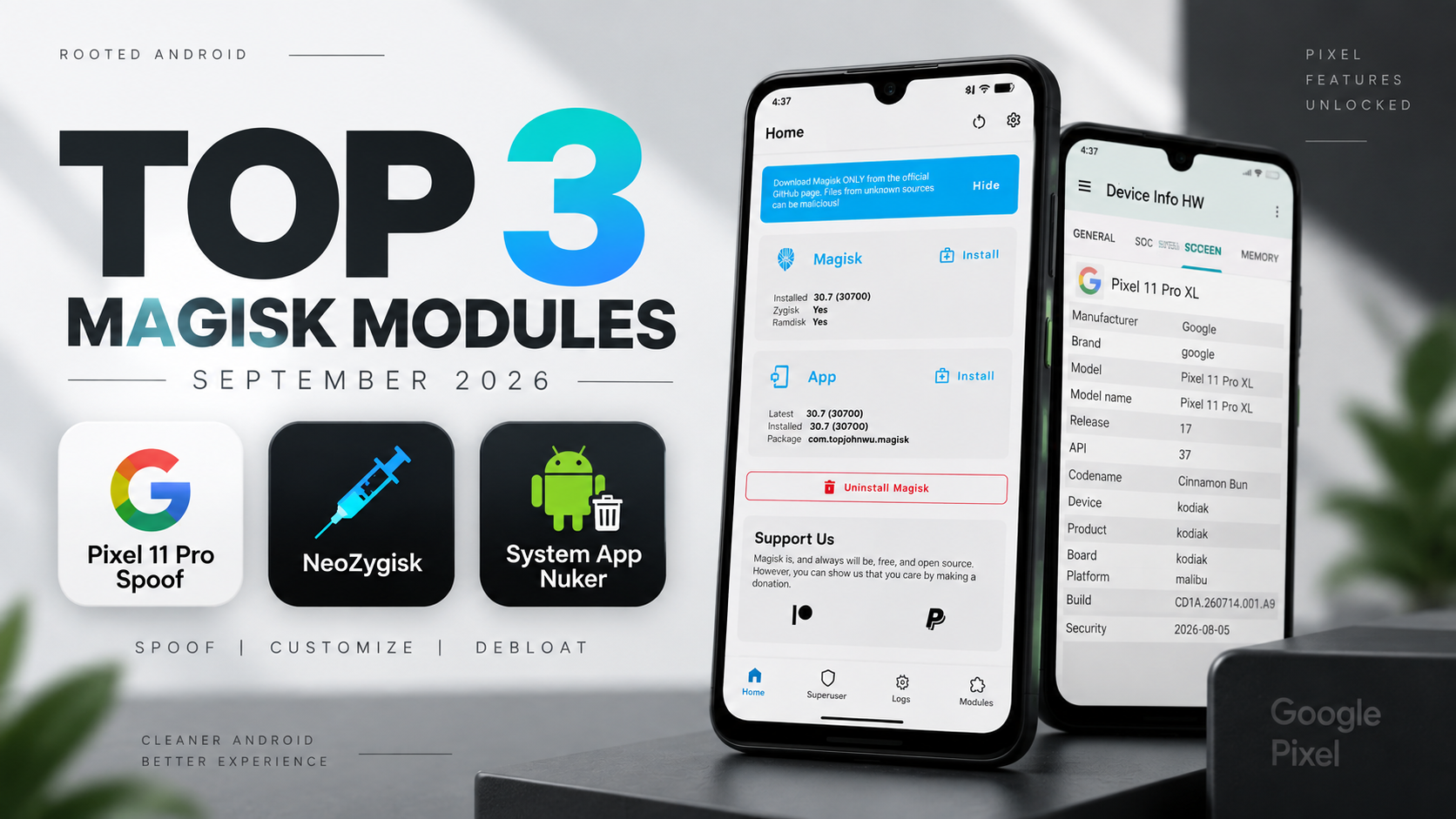
If you enjoy customizing rooted Android, September 2026 has several interesting Magisk modules worth exploring. This month’s selection focuses on three very different use cases: device-property spoofing, Zygote injection, and system debloating.
The three featured modules are:
- Pixel 11 Pro Spoof
- NeoZygisk
- System App Nuker
The setup also uses Bootloop Protector as a safety measure before applying deeper system modifications.
Watch the Full Video
Watch the complete installation and configuration walkthrough:
Download the Modules
Pixel 11 Pro Spoof: Download
NeoZygisk: Download NeoZygisk
System App Nuker: Download System App Nuker
Bootloop Protector: Download
Credits / Official Developers
Pixel 11 Pro Spoof: Official Developer
NeoZygisk: JingMatrix/NeoZygisk
System App Nuker: ChiseWaguri/systemapp_nuker
aBootloop Protector: nedorazrab0
The official NeoZygisk repository describes it as a Zygote injection module using ptrace that provides Zygisk API support for KernelSU and APatch, while also serving as an alternative to Magisk’s built-in Zygisk.
Prepare the Files
Before opening Magisk, place the required ZIP files inside your Downloads folder.
The setup contains System App Nuker, NeoZygisk, Pixel 11 Pro Spoof, and Bootloop Protector.
Keeping all the files together makes the installation sequence easier because you won’t need to repeatedly search different folders during the flashing process.
Install System App Nuker
Open Magisk and navigate to the Modules section.
Tap Install from storage and select the System App Nuker ZIP.
The module installs quickly and establishes the systemless debloating framework.
System App Nuker is designed to work with Magisk, KernelSU, and APatch. Its official project uses systemless mounting/whiteouts rather than directly modifying the underlying system partition, and it provides mechanisms for restoring previously hidden packages.
Add Bootloop Protection
Before continuing with device spoofing and other framework-level modifications, install Bootloop Protector.
This is particularly important because changing system properties or vendor-related configuration can sometimes result in a boot loop if an incompatible configuration is selected.
Flash the Bootloop Protector ZIP through Magisk.
When the installation script asks for confirmation, use the phone’s volume keys to select the desired configuration.
This gives the setup an additional recovery mechanism before the more invasive modules are enabled.
Install NeoZygisk
Return to Install from storage and select the NeoZygisk package.
NeoZygisk uses a ptrace-based injection implementation and provides Zygisk API compatibility for supported root environments. The official project describes it as a lean alternative to Magisk’s built-in Zygisk.
Flash the module and wait for the installation process to complete.
Install Pixel 11 Pro Spoof
Next, select the Pixel 11 Pro Spoof ZIP.
The installer presents configuration options during the flashing process.
Use the volume up and volume down buttons to select the spoofing profile you want.
Once the flashing process finishes, do not reboot yet.
There is one important configuration change that needs to happen first.
Disable Magisk’s Built-In Zygisk
Return to the main Magisk interface and open Settings.
Find the native Zygisk option.
If it is enabled, disable it.
This setup uses NeoZygisk as the primary Zygote injection implementation, so leaving Magisk’s built-in Zygisk enabled can result in conflicting injection mechanisms.
After disabling the built-in option, return to the main screen.
Now reboot the device.
Verify the Modules
After the phone starts again, open Magisk and go back to Modules.
The installed modules should appear as active.
Check that there are no installation errors or obvious conflicts before moving forward.
NeoZygisk does provide advanced hiding and namespace functionality, but its own project documentation makes clear that hiding mechanisms are not guaranteed to defeat every detection system. There are also reported compatibility issues in the project’s issue tracker, so users should not assume universal compatibility.
System App Nuker
System App Nuker is designed for removing or hiding unwanted manufacturer and carrier applications without permanently modifying system partitions.
The module creates systemless overrides that make selected applications appear unavailable to Android.
The advantage is that the original system files remain in place.
If you change your mind, the applications can be restored without reflashing the entire firmware.
The official project also includes a WebUI, package categorization, configuration backup/restore, and bootloop protection.
However, be careful about what you disable. Removing or hiding critical system packages can cause crashes, broken features, or boot problems.
Pixel 11 Pro Spoof
After rebooting, the final step is checking the device information.
Open Settings → About Phone.
The configured spoofing profile is intended to make the system and compatible Google services identify the device as a Pixel 11 Pro.
The purpose is to expose Pixel-specific properties and potentially enable features that are tied to device identification.
However, spoofing does not physically add Pixel hardware capabilities to the phone, and individual Pixel-exclusive features can depend on server-side checks, hardware requirements, application versions, or other factors.
Final Thoughts
These three modules target completely different areas of rooted Android.
Pixel 11 Pro Spoof focuses on device-property customization, NeoZygisk provides an alternative Zygisk implementation, and System App Nuker focuses on systemless debloating.
The most important part of this setup is not simply installing everything as quickly as possible. Take a backup, install the safety mechanism first, follow the correct Zygisk configuration, and test each change before adding another modification.
Root customization can be extremely powerful, but the same flexibility means an incompatible module or configuration can cause serious problems.


Discussion (0)
Post a Comment
No comments yet. Be the first to share your thoughts!