
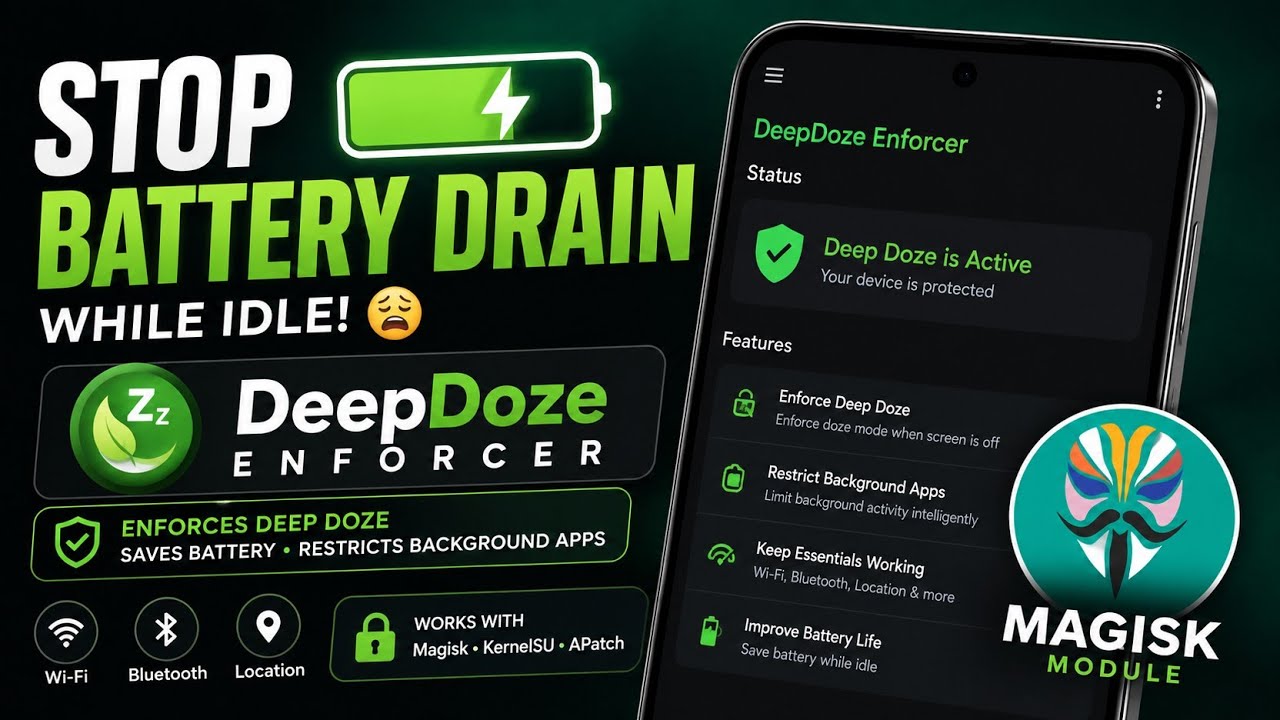
Battery drain while a phone is sitting idle can be frustrating. Android already has Doze and battery-management mechanisms, but power users sometimes want more control over what happens after the screen is turned off.
DeepDoze Enforcer is a root-based Android module designed to enforce deeper idle behaviour and restrict background activity while the phone is locked.
I tested it on my Redmi Note 7 Pro running MatrixxOS based on Android 16 QPR2.
The important thing to understand is that DeepDoze Enforcer isn't simply a "battery booster." It changes how Android handles Doze and background applications while the device is locked, so there are trade-offs.
What Is DeepDoze Enforcer?
DeepDoze Enforcer is available as a module for Magisk, KernelSU and APatch.
Its official repository says it can force deep Doze shortly after the device is locked and optionally restrict background applications. It supports different restriction modes, including Gentle, Balanced and Aggressive.
The module can also optionally apply CPU throttling while the screen is off.
However, the developer explicitly notes that battery savings cannot be guaranteed because results depend on the device, ROM, installed applications, radio conditions and workload.
That is an important distinction from exaggerated claims such as "double your battery life."
My Testing Setup
Device: Redmi Note 7 Pro
ROM: MatrixxOS
Android: Android 16 QPR2
Root environment: Compatible root setup
Watch the Video
I've demonstrated DeepDoze Enforcer and its configuration in the video below.
How DeepDoze Enforcer Works
When the screen is off and the phone is locked, the module can enforce deeper Doze behaviour.
It can also move selected applications into Android's rare or restricted standby buckets and, depending on the selected mode, restrict background execution.
The module records the original application state so it can restore settings after unlocking.
This makes its approach different from simply turning off Wi-Fi or Bluetooth.
The project specifically states that it does not modify Wi-Fi, Bluetooth scanning, location mode or sensor settings as part of its battery-saving approach.
Restriction Modes
The default Gentle mode is intended to be the safer starting point.
Balanced and Aggressive modes apply stronger background restrictions.
Aggressive mode can force-stop idle non-foreground applications while the phone is locked.
This can potentially reduce background activity, but it can also delay notifications or synchronization.
For that reason, applications such as messaging, alarms, phone and other services that need to remain responsive should be protected.
CPU Throttling
DeepDoze Enforcer also includes optional CPU throttling.
This is disabled by default and should be treated as an experimental feature.
The project specifically recommends caution when combining CPU throttling with another kernel or performance manager.
This is another reason I would not recommend enabling every option simply because it exists.
Installation
DeepDoze Enforcer is installed as a root module through a compatible manager.
The official project supports Magisk 24.0+, KernelSU 1.0+ and APatch, with Android 8.0 or newer listed as compatible.
For the version demonstrated in my video:
For the latest releases and source code, use theofficial DeepDoze Enforcer GitHub repository.
Battery Savings: What You Should Actually Expect
A module like this cannot guarantee a fixed number of hours of additional battery life.
If your phone already spends most of its idle time in deep Doze, the difference may be small.
On the other hand, a device with many applications constantly performing background work may have more opportunity for savings.
The correct way to evaluate it is to compare your own device under similar conditions rather than relying on a universal percentage.
Privacy and Reliability
DeepDoze Enforcer modifies application background behaviour using elevated privileges.
That means you should understand the module before installing it.
The project also includes restore mechanisms intended to return application states after unlocking and provides a WebUI for configuration.
Still, root modifications always carry some risk. Keep a backup before experimenting with aggressive system modifications.
Final Verdict
DeepDoze Enforcer is an interesting option for rooted Android users who want more control over idle behaviour.
On my Redmi Note 7 Pro running MatrixxOS and Android 16 QPR2, the concept is particularly relevant because it allows a user to decide how aggressively background applications should be handled while the phone is locked.
I would start with Gentle mode, protect applications that need timely notifications, and evaluate battery behaviour over several days rather than expecting an immediate dramatic improvement.
Download:Download
Official developer: Azyrn
Official repository:GitHub




Discussion (0)
Post a Comment
No comments yet. Be the first to share your thoughts!