
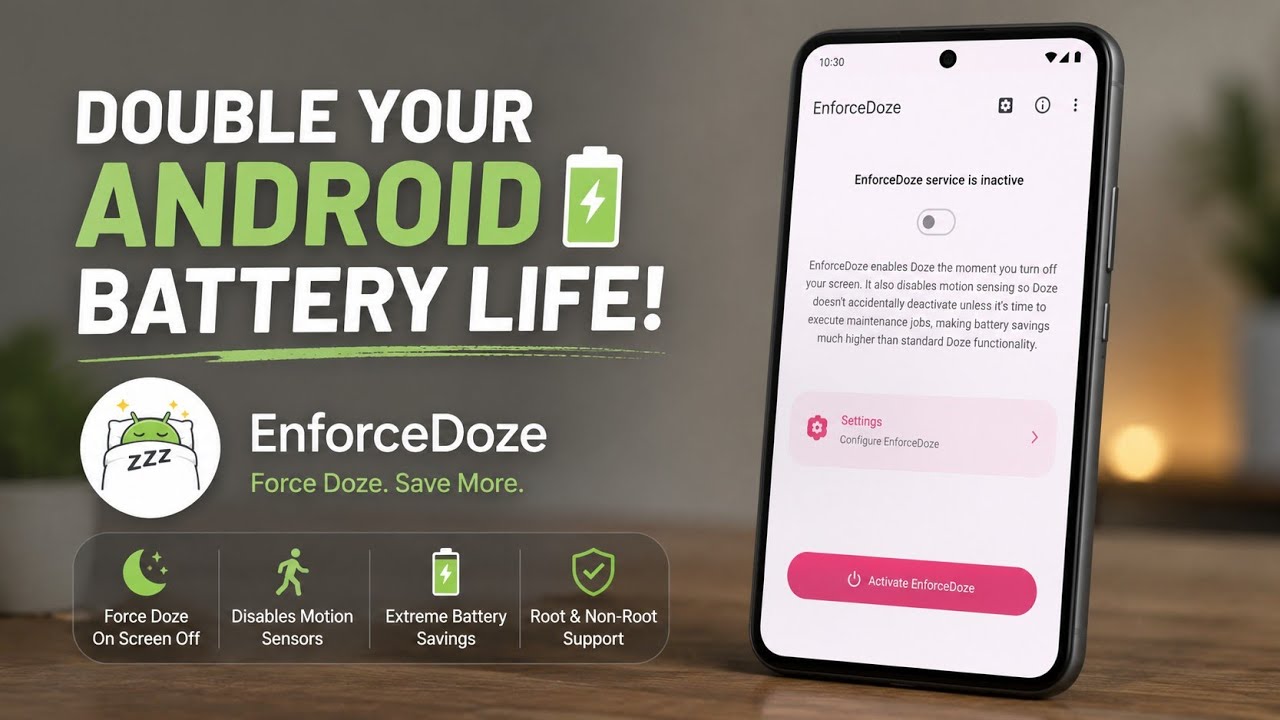
If you have ever pulled your smartphone out of your pocket only to realize that it inexplicably lost ten percent of its battery while sitting idle, you are not alone. Background battery drain is one of the most frustrating aspects of using a modern smartphone. While Android has a built-in power-saving feature known as Doze mode, it is far from perfect. By default, it waits a significant amount of time before kicking in, and the moment it detects motion, it wakes the device back up. This means if you are walking, cycling, or commuting, native Doze mode is practically useless.
Enter EnforceDoze. This incredibly powerful application is an actively maintained, open-source fork of the classic ForceDoze app, which is sadly no longer updated. What it does is simple but highly effective: it forcefully enables Android’s Doze mode immediately right after you turn off your screen. Better yet, it disables your phone's motion sensors while the screen is off. The result? Your phone stays in a deep sleep state even if you are moving around, drastically improving your standby battery life.
Why I Use This App Daily
I started looking for aggressive battery-saving solutions after noticing my phone's battery plummeting during my daily commute. I would take my phone off the charger at 100%, hop on the train for an hour, and arrive at work with my battery already down to 85%—without even touching the screen. The culprit was standard Doze mode constantly waking up the system because it sensed the train's motion.
Since I started using EnforceDoze, that idle drain has practically vanished. By forcing the device to ignore the accelerometer and gyroscope when the screen is off, the system stays deeply asleep. I now arrive at the office with my battery at 98% or 99%. It gives me immense peace of mind knowing my phone is not wasting energy on background tasks when I am not actively using it.
Watch the full tutorial here on our Youtube channel:
Step-by-Step Installation Guide
Getting this setup on your device is quite straightforward. Because EnforceDoze is an open-source project, you typically get it directly from the developer's GitHub repository to ensure you have the latest, untampered build.
Step 1: Download the APK Navigate to the official EnforceDoze GitHub page and head to the "Releases" section. Download the latest .apk file directly to your smartphone. The application is completely free, open-source, and contains absolutely no advertisements, making it a very clean addition to your system.
Step 2: Locate and Install Open your preferred File Manager application and navigate to your device's Downloads folder. Tap on the EnforceDoze APK file. Your Android system might prompt you to allow installations from unknown sources—simply grant the permission and hit "Install." Because the app is incredibly lightweight, the installation only takes a few seconds.
Step 3: Setup and Permissions Once you open the app, you will be greeted by a clean, straightforward interface. If you have a rooted device, simply grant Superuser permissions, and you are fully ready to go.
If you are not rooted, do not worry! The app has a fantastic Non-Root mode. You will just need to connect your phone to a computer and run a simple, one-time ADB command (the app will provide the exact command text on your screen) to grant it the necessary system permissions to manage Doze.
Feature Breakdown: Root vs. Non-Root
The beauty of EnforceDoze is how much control it hands back to the user. Here are some of the standout features you can configure directly from the UI:
- Custom Activation Delays: You can choose to force Doze immediately after the screen turns off, or set a custom user-specified delay if you prefer a brief buffer.
- Motion Sensor Disabling: This is the core magic. By turning off the sensors, Doze refuses to be interrupted by physical movement.
- App Whitelisting: Nobody wants their music or podcast to stop playing when the screen turns off. You can easily add specific packages to the system Doze whitelist directly from the app. It even has a dedicated toggle just for your music applications.
- Tasker Integration: If you love automation, the app seamlessly integrates with Tasker, allowing you to toggle EnforceDoze on and off based on specific triggers or locations.
- OEM Overrides: It can successfully enable Doze mode on devices where the manufacturer had originally disabled it out of the box.
While non-root users get massive benefits (like the core forced doze, hotspot ignoring, and app whitelists), having a rooted device unlocks the ultimate battery-saving arsenal. With root access, you can completely disable Wi-Fi, Mobile Data, all system sensors, and even biometric unlock sensors the moment the screen goes dark, ensuring absolute minimal power draw.
Battery Impact and Performance Analysis
In my testing, the performance impact has been overwhelmingly positive. The main concern people have with aggressive Doze apps is missing important messages. However, EnforceDoze is smart. It does not completely sever your background sync permanently; it utilizes Doze’s native "maintenance windows." This means the app periodically wakes up just long enough to fetch your important notifications, emails, and messages before instantly going back to sleep.
Looking at my battery statistics, my idle drain went from roughly 2.5% per hour down to an astonishing 0.4% per hour. Over an average workday, that equates to retaining an extra 15% to 20% of my total battery capacity that used to just vanish into thin air.
Potential Bugs and How I Fixed Them
No system modification is without its quirks, and I did run into a couple of minor hiccups initially.
First, I noticed that my Wi-Fi hotspot kept dropping when my screen turned off. I quickly realized this was because aggressive Doze was putting the network radios to sleep. The fix was incredibly simple: inside the EnforceDoze settings, there is a specific toggle labeled "Ignore disable with hotspot." Checking this box immediately solved the issue, allowing my tethered devices to stay connected uninterrupted.
Another minor issue was delayed notifications from a specific work messaging app. Because standard Doze pushes lower-priority notifications to the maintenance windows, they were occasionally arriving a few minutes late. To fix this, I simply jumped into the "Whitelist" section of the app and added my work messenger package. From then on, those messages bypassed Doze entirely and arrived instantly, while the rest of my phone remained in deep sleep.
Final Thoughts
Taking control of your smartphone's battery life does not have to be a complicated chore. By fixing the inherent flaws in Android's default idle management, EnforceDoze transforms your idle battery life and gives you back hours of screen-on time. Whether you are rocking a fully rooted setup or just using the ADB method for the core benefits, it is an essential utility for anyone looking to squeeze every last drop of power out of their device.
Subscribe to our YouTube channel for daily Android tips, tricks, and tutorials: TechyNoob
Discussion (2)
Post a Comment